Welcome to your Service Delivery Dashboard! This guide will help you navigate the dashboard, manage tasks effectively, and communicate seamlessly with your supplier to ensure a smooth project journey.
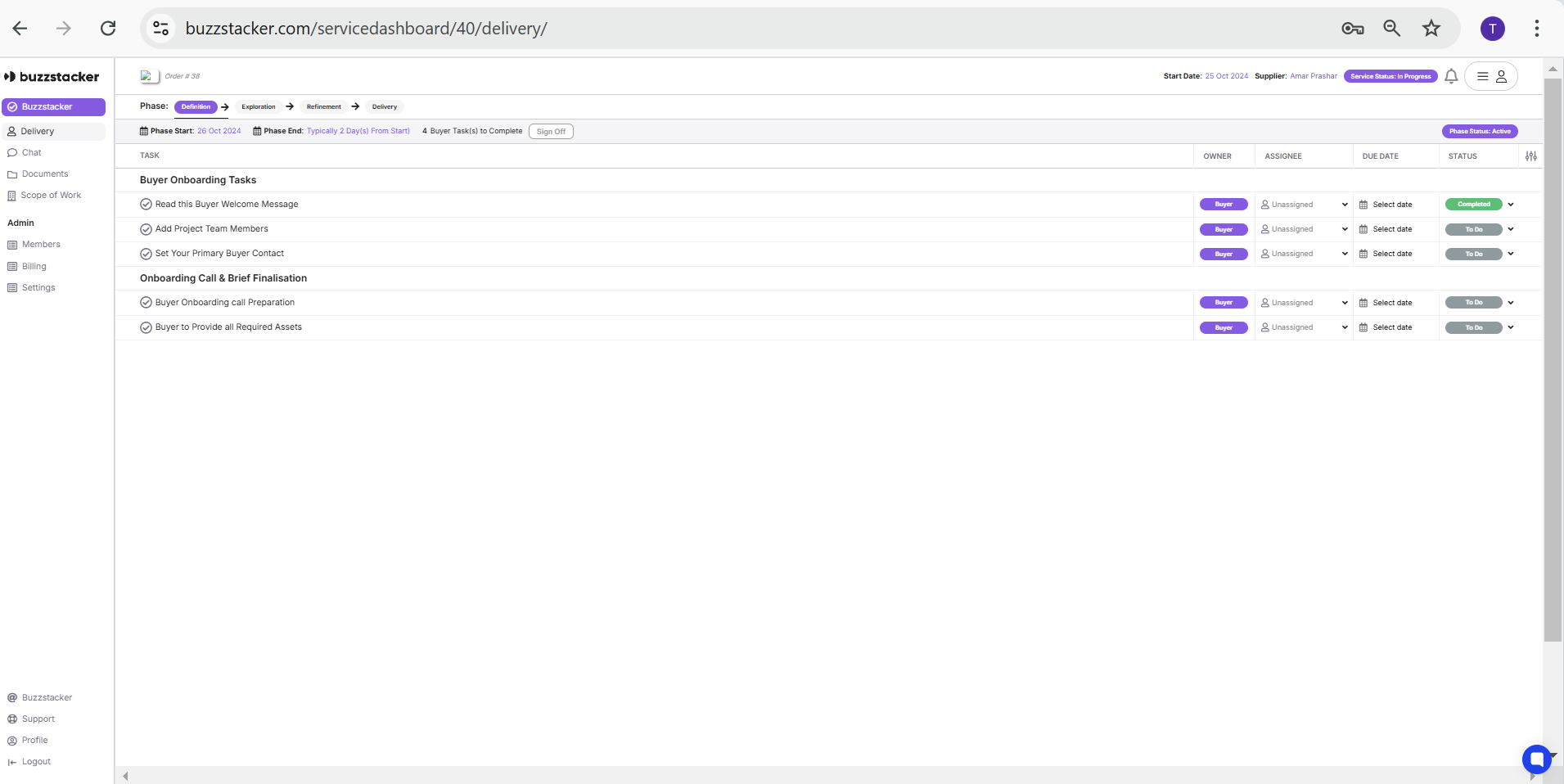
The Delivery Dashboard is your central hub for tracking project progress and managing tasks assigned to both you and your supplier. It provides a clear overview of workflows, deadlines, and responsibilities to keep your project on track.
Tasks Summary: See all tasks assigned to you and your supplier at a glance.
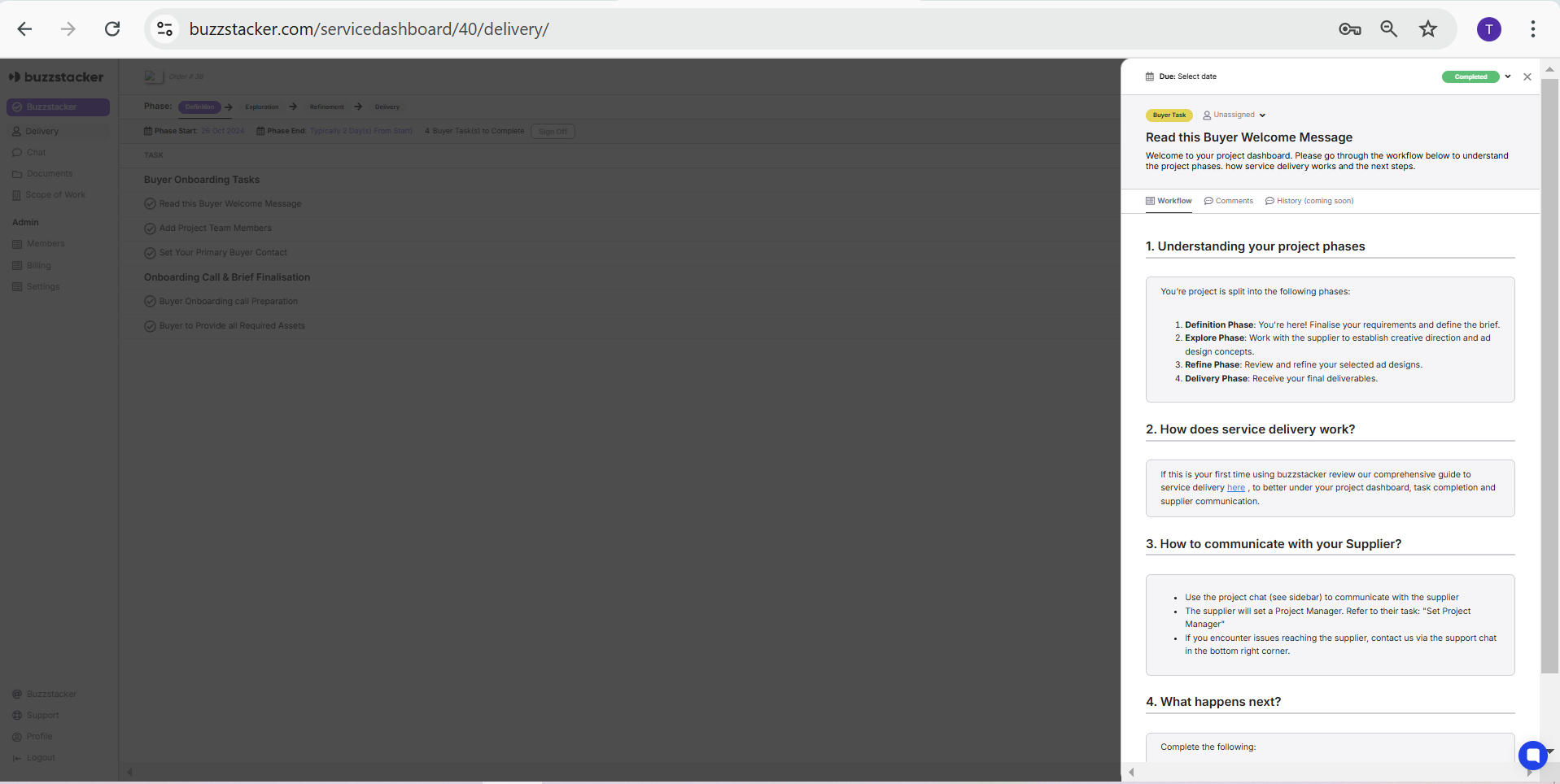
Workflows: Each task comes with step-by-step instructions, tools, and forms to ensure completion.
Project Phases: Track your project as it progresses through four key phases:
Each project on Buzzstacker follows a customized workflow that adapts to the specific service chosen. For example, the Graphic Advert Design service follows these distinct phases:
-Definition
Finalize requirements and define the brief. Buyers outline their needs, such as the number of ad variations, platforms, and creative direction. Suppliers review and confirm these details to ensure alignment.
-Exploration
Collaborate on creative direction and concepts. Suppliers develop initial ad concepts and creative directions, providing multiple options for buyers to review and refine.
-Refinement
Fine-tune and approve the final designs. Based on buyer feedback, suppliers iterate and adjust the designs, ensuring they meet the project’s goals and brand requirements.
-Delivery
Receive your completed deliverables. The final ad designs are delivered in the specified formats and sizes, ready for use across platforms.
Each task includes:
Task Summary: A quick overview of what needs to be done.
Workflows: Detailed instructions with tools or forms to guide you step-by-step. This ensures clarity and helps you complete tasks efficiently.
Effective communication is crucial for a successful project. Here’s how you can stay connected:
Project Chat: Use the sidebar to chat directly with your supplier for real-time updates.
Task Comments: Add comments on individual tasks to provide specific feedback or ask questions.
Email Notifications: All messages and comments notify both your team and the supplier’s team via email.
Support Chat: If you face any issues reaching your supplier, use the support chat located at the bottom right of your screen for immediate assistance.
Stay Updated: Regularly check your dashboard for new tasks or updates.
Collaborate: Use the chat and task comments to share feedback promptly.
Follow Workflows: Complete tasks using the step-by-step guides provided to ensure accuracy and efficiency.
By leveraging the features of your Delivery Dashboard, you can ensure a seamless and collaborative experience, resulting in high-quality deliverables delivered on time. If you need further assistance, feel free to reach out via the support chat.
