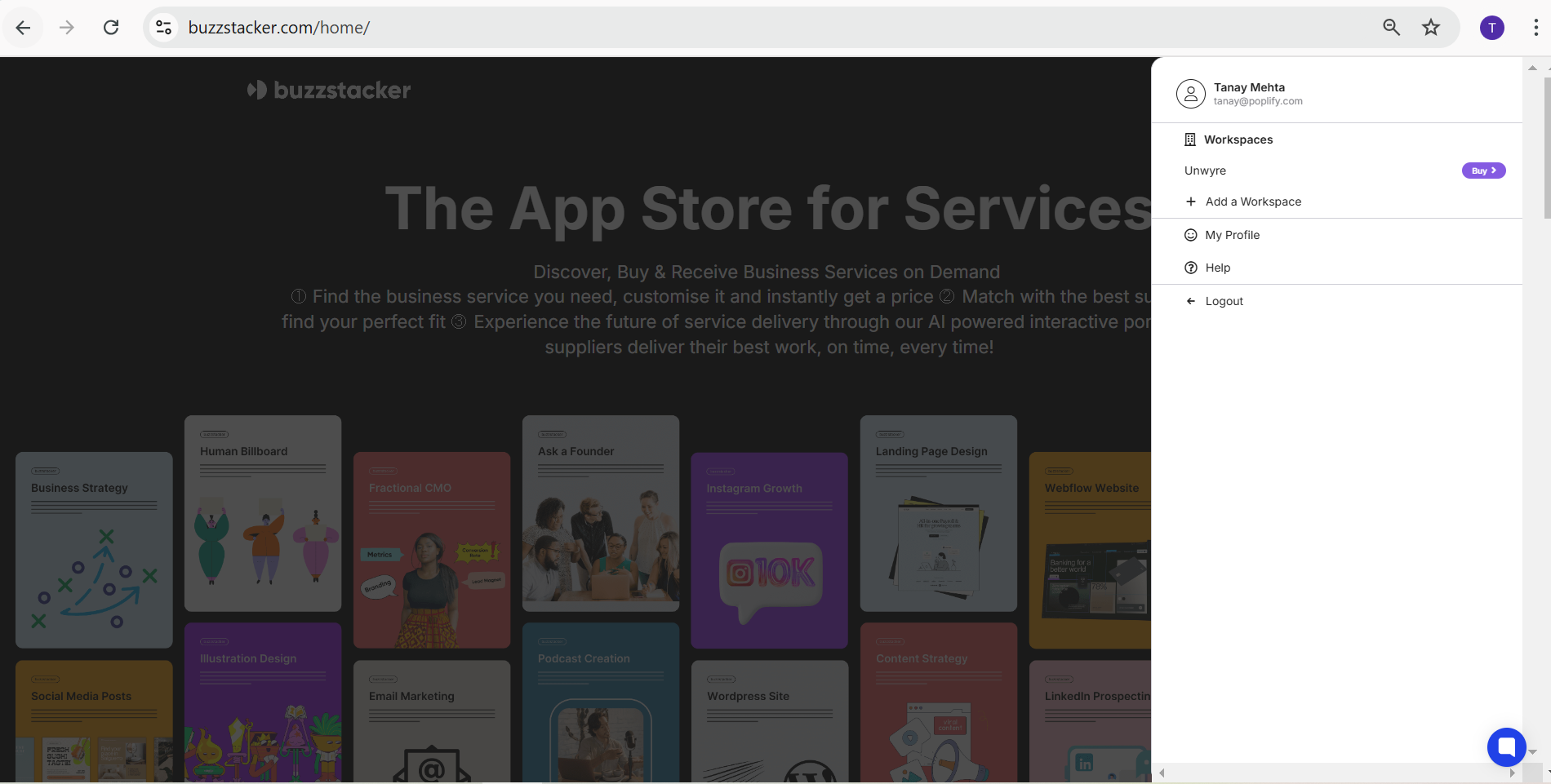
On Buzzstacker, managing your business services is streamlined with User Profiles and Workspaces.
A User Profile serves as your individual identity on the platform. Under your single profile, you can create and manage multiple Workspaces, enabling you to handle different projects, brands, or companies efficiently.
User Profile: Your central account to access the platform. One user profile allows you to:
Log in and manage all your projects in one place.
Track services, progress, and updates across your workspaces.
Maintain a personalized dashboard to oversee all activity.
Workspace: A focused hub for a specific project, brand, or company. Each workspace operates independently, allowing you to:
Collaborate with team members for individual projects.
Organize tasks, services, and communication in one place.
Seamlessly manage multiple brands or campaigns without overlap.
To Sign Up as a User:
Go to https://www.buzzstacker.com/signin/.
Complete your profile setup.
Log in to access your personalized dashboard.
To Set Up a Workspace:
Navigate to the Workspaces section in your dashboard.
Click “Add a Workspace”.
Name your workspace and customize its settings.
Now, you’re ready to organize, collaborate, and manage multiple projects under one account.
With Buzzstacker, you gain a simple, flexible system to oversee all your business needs without complexity – ensuring clarity, control, and efficiency at every step.
